The Transformer Sandbox for Linemen
Transformer Connections Simulator for Linemen
Wire it. Energize it. See what happens.
Build transformer bank connections from scratch. Wire them however you want. Hit Energize to instantly see your secondary voltages. Get it right — or get it wrong on purpose.
Built for the way you learn
No textbook lectures. No multiple choice quizzes. Just wire it up, see the results, and learn by doing.
Real Transformer Components
Drop single-phase cans with actual H1/H2 and X1/X2/X3 terminals. Set primary voltage, kVA, and polarity — just like reading a nameplate.
Instant Live Results
Energize and get secondary voltages in realtime. Change a wire while it's live and the results update immediately. No waiting, no lag.
Clear Fault Detection
Every hookup gets classified: VALID, FLOATING, or FAULT. The app highlights exactly which wires cause the problem.
Voltage Tables That Make Sense
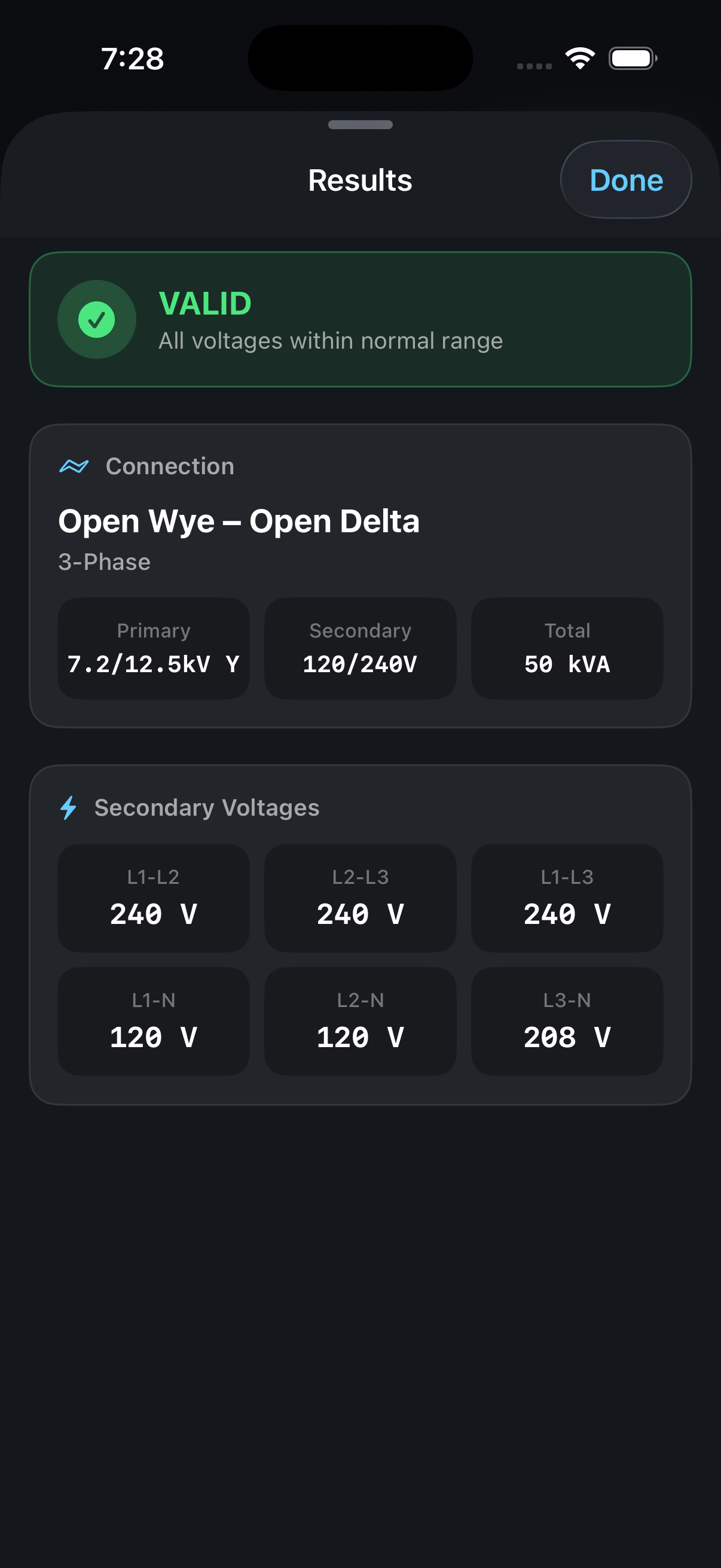
3-phase: AB, BC, CA plus phase-to-neutral. Split-phase: L1-L2, L1-N, L2-N. All values in RMS — just like your meter reads.
See it in action
From a clean canvas to energized results — every connection is computed, not looked up.
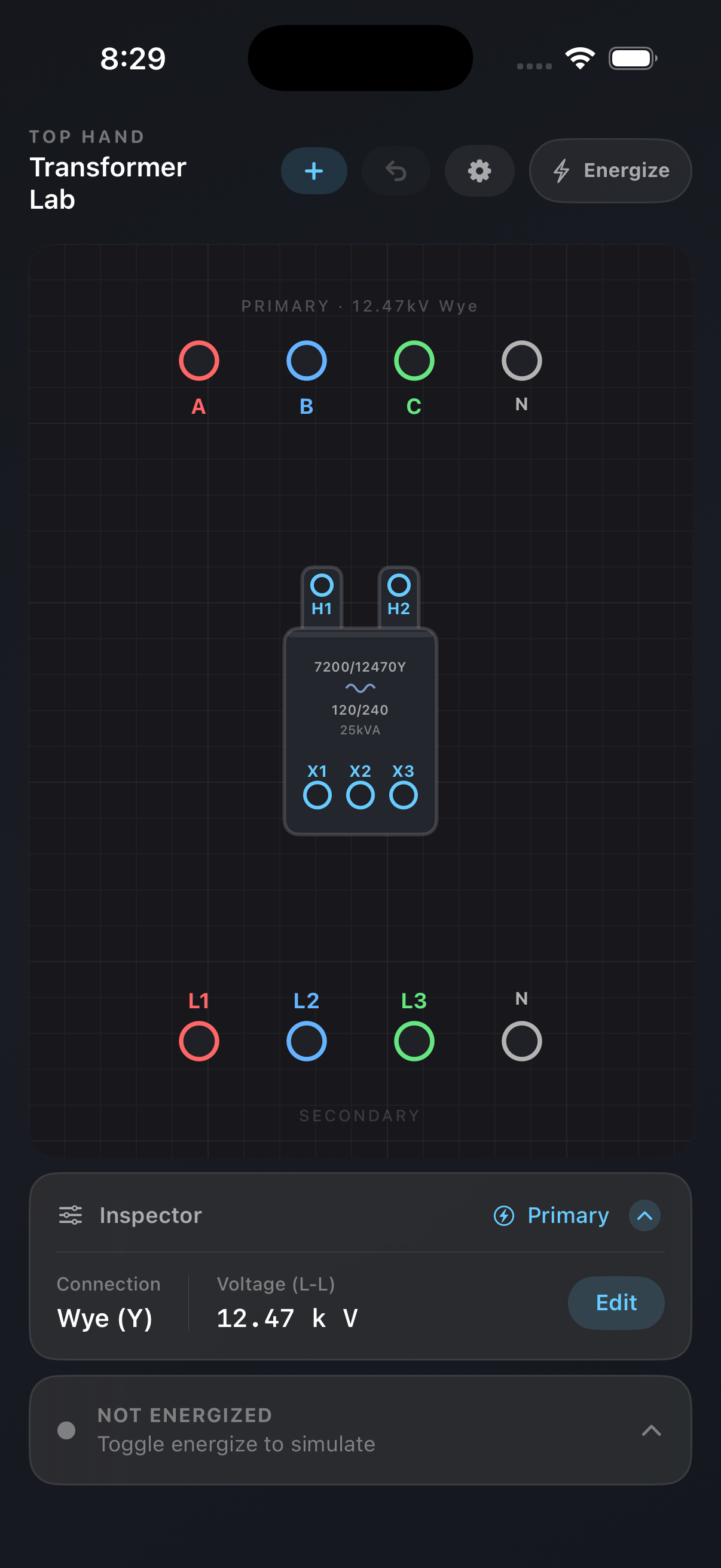
1. Wire it like the real thing
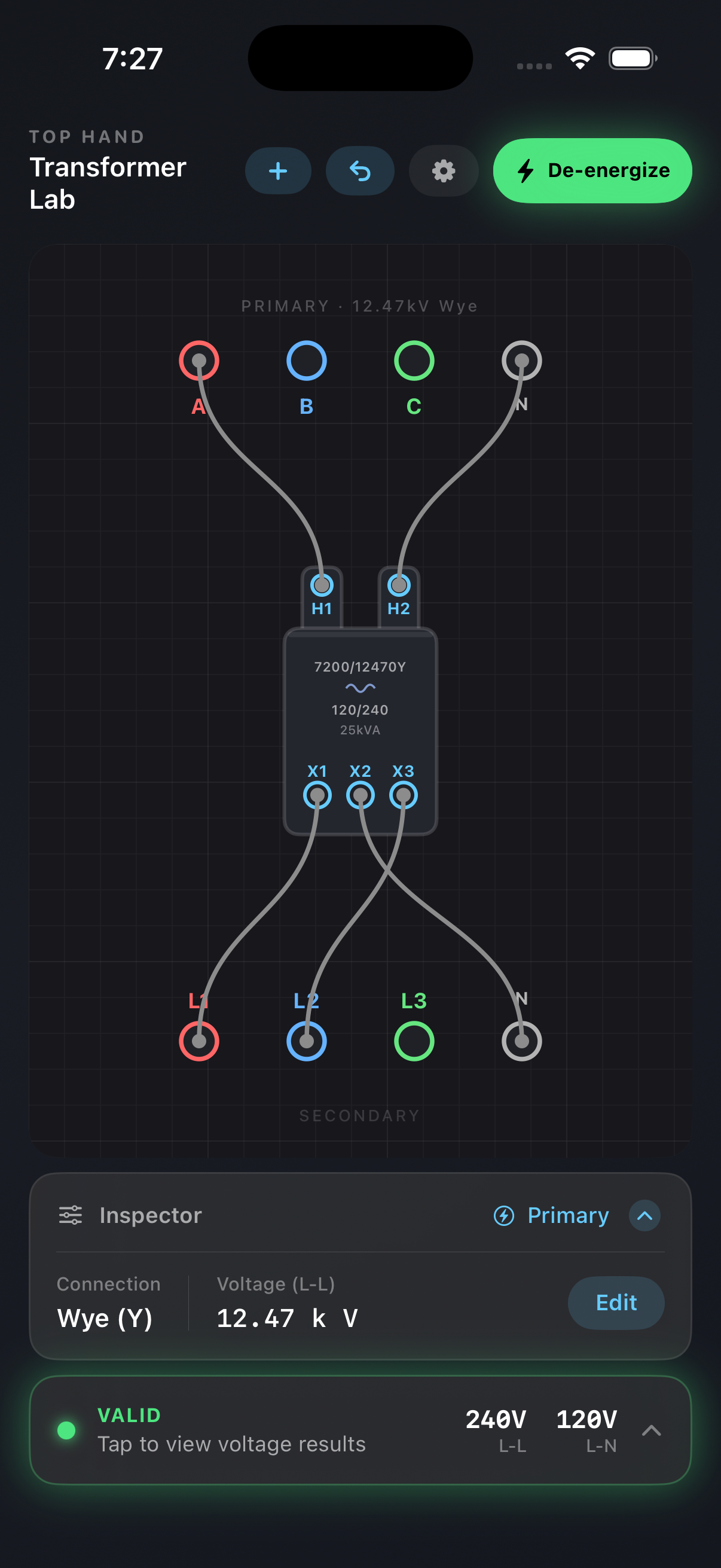
Tap terminals to connect wires. Build the connection from scratch — no presets, no hand-holding.
2. Energize & get real voltages
Hit Energize and instantly see secondary voltages. Familiar numbers like 120/240V — computed from your actual wiring.
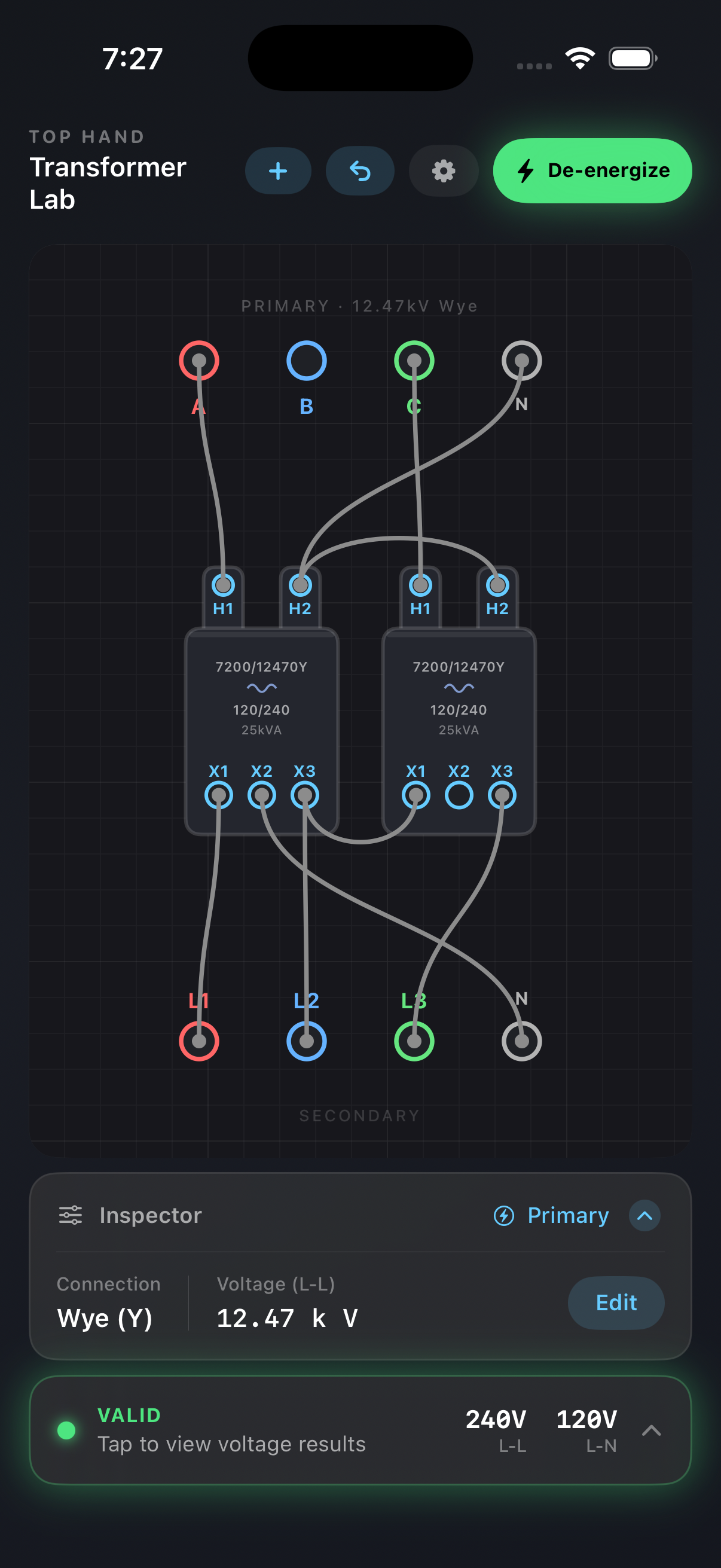
3. Any 3-phase bank
Wye, Delta, Open — build them all from individual cans. Wire it wrong on purpose and see what actually happens.
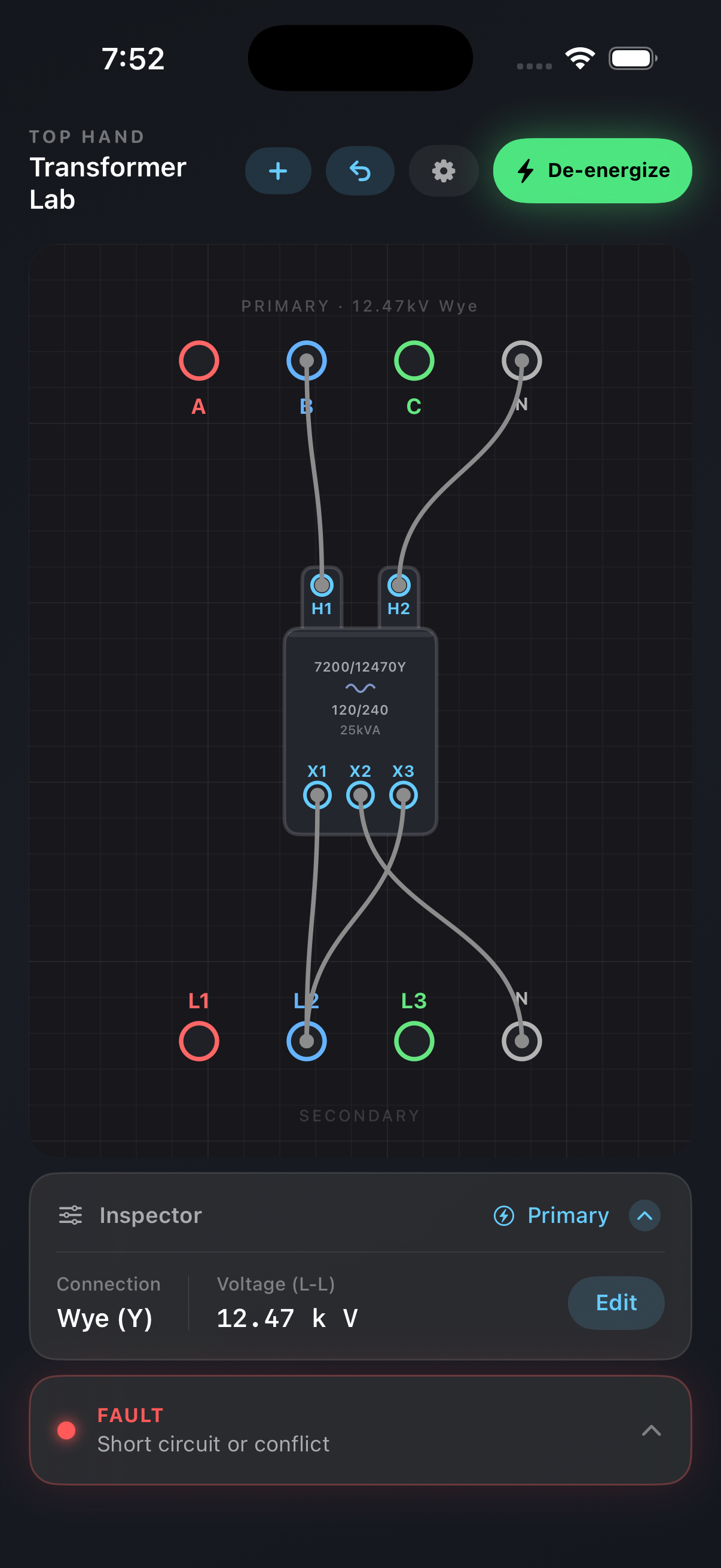
4. Faults detected instantly
Shorts and conflicting connections are caught and highlighted. Learn from mistakes without consequences.
Every standard hookup — and then some
Build all of these from individual cans. Plus anything else you can dream up.
| Connection | Transformers | Typical Output |
|---|---|---|
| Wye–Wye | 3 cans | 208Y/120 or 480Y/277 |
| Delta–Delta | 3 cans | 240 3-wire |
| Delta–Wye | 3 cans | 208Y/120 or 480Y/277 |
| Wye–Delta | 3 cans | 240 3-wire |
| Open-Wye / Open-Delta | 2 cans | 240/120 with wild leg |
| Open-Delta / Open-Delta | 2 cans | 240 3-wire (reduced kVA) |
| Single-phase | 1 can | 120/240 split-phase |
Up and running in 30 seconds
Pick your source
Delta or Wye. Choose from common primary voltages — 4.16 kV to 34.5 kV — or enter a custom value.
Drop a transformer
Set the nameplate: primary voltage, kVA rating, polarity. Toggle series or parallel secondary.
Wire it up
Tap terminal to terminal. Build any connection you want — standard or experimental.
Hit Energize
See voltages instantly. Change something — the results update live. That's it.
Who it's for
Apprentices
Build the hookups from your training book and verify them. Then try the wrong way and see what happens.
Journeymen
Brush up on connections you haven't done in a while. Try that weird configuration your buddy told you about.
Instructors
Demonstrate why polarity matters, what open-wye does to the wild leg, or what happens when you short two phases.
Real math. Not a lookup table.
Top Hand uses a phasor-domain circuit solver — the same kind of Modified Nodal Analysis (MNA) used in engineering simulation tools. Every result is computed from your actual wiring.
- Reversed polarity → actual computed wrong voltages
- Missing neutral → floating outputs identified
- Shorted phases → detected as faults
- Open connections → clearly flagged
You can wire up any combination and the solver computes the real resulting voltages — including all the weird ones that come from mistakes.
Stay in the loop
Get notified about new features, updates, and tips for getting the most out of Top Hand.
Frequently Asked Questions
What transformer connections can I build?
Any configuration you want. Wye-wye, delta-delta, delta-wye, wye-delta, open-wye/open-delta, open-delta/open-delta, and single-phase split-phase. You build them from individual transformer cans — no presets, no drop-down menus. You can even wire intentionally wrong configurations to see the actual resulting voltages.
Is this a real circuit simulator or just a lookup table?
Real simulator. Top Hand uses a phasor-domain Modified Nodal Analysis (MNA) solver — the same mathematical approach used in professional engineering software like SPICE. Every voltage is computed from your actual wiring, including incorrect hookups that produce unexpected voltages.
Does it work offline?
Yes, 100%. The entire solver runs on your device. There's no server, no internet requirement, and no account needed. Perfect for jobsite use or studying in areas with no cell service.
Who is this app for?
Apprentice linemen learning transformer connections for the first time, journeyman linemen refreshing on configurations they haven't done recently, and instructors who want to demonstrate what happens with reversed polarity, missing neutrals, or shorted phases — all without risk.
What devices does it run on?
Top Hand runs on iPhone with iOS 17 or later. It's a native iOS app — built in Swift — so it's fast and responsive. iPad support is coming soon.
How much does it cost?
$9.99 one-time purchase on the App Store. No subscriptions, no in-app purchases, no ads. You buy it once and own it.
Ready to wire it up?
$9.99. Offline. No account needed. If you can read a transformer nameplate, you can use this app.
Download on the App Store